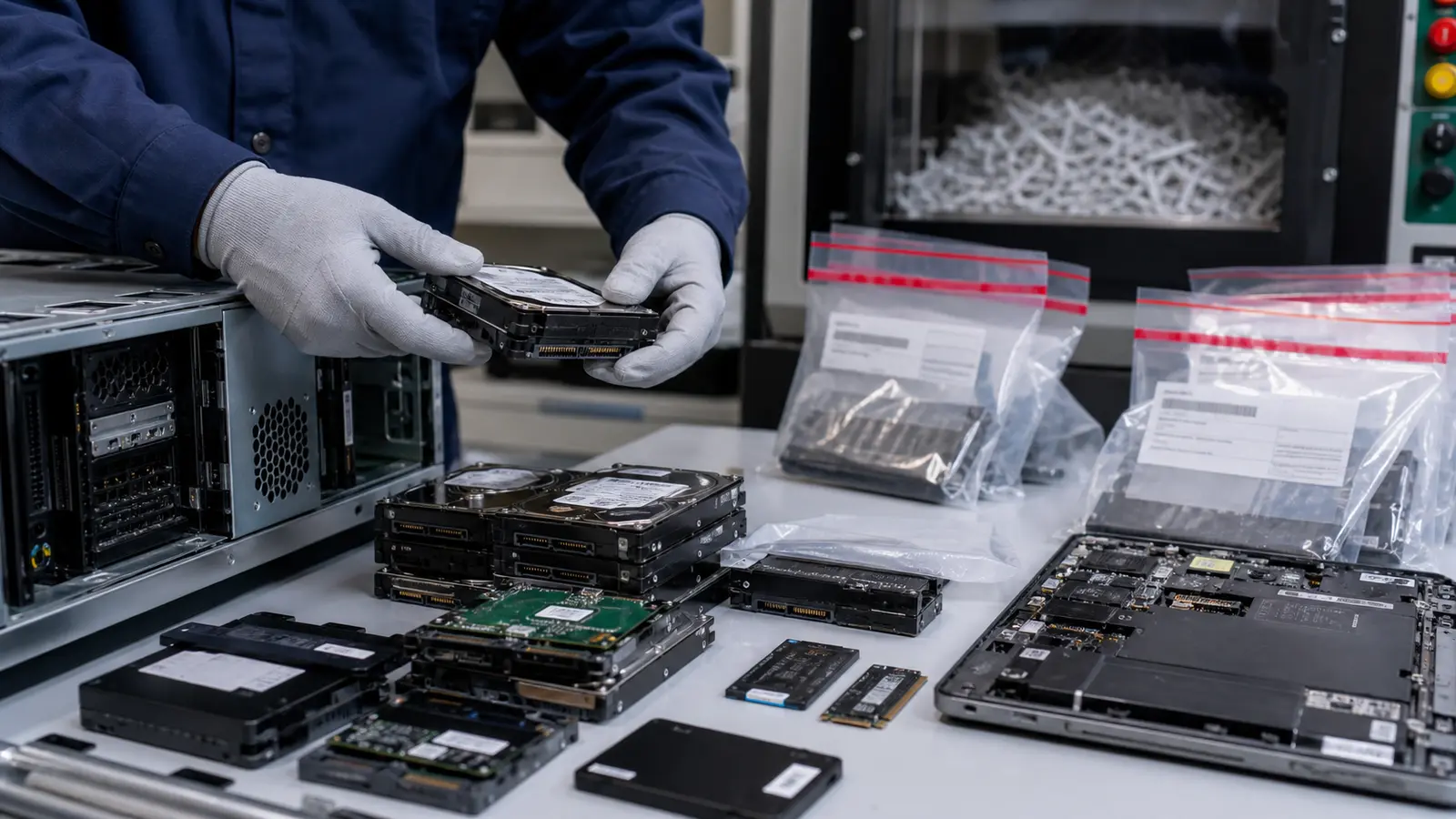
IT recycling should never begin with a truck, a pallet or a quote. It should begin with data. Retired laptops, desktops, servers, phones, tablets, SSDs, hard drives and even some network equipment can hold business records, customer information, credentials, cached files and configuration data. If that equipment leaves your office before storage media is identified and controlled, the recycling process can create more risk than value.
Silicon Rescue treats drives and storage media as the first priority. The useful non-storage hardware still matters, and a responsible reuse path is usually better than sending everything directly to scrap. But reuse only applies after customer storage devices are removed and physically destroyed. A computer can be old, slow or no longer worth keeping and still contain information that should not leave your control without a clear destruction or sanitization workflow.
Why retired equipment still carries data risk
Many companies think only about the obvious storage devices: desktop hard drives, laptop SSDs or external drives. In practice, data can exist in more places. Servers may contain RAID arrays, cache modules, removable drive trays or boot media. Workstations may include multiple drives. Phones and tablets contain internal storage. Network appliances may keep logs, VPN settings or configuration files. Even if an asset no longer powers on, its storage media can still be readable with the right tools.
The problem is not only the amount of data. It is the uncertainty. When equipment has been sitting in a storage room for months or years, the original owner may not remember who used it, what department it came from, or whether it was wiped. That uncertainty is exactly why a data-first intake process is safer than a generic recycle pile.
Data destruction before recovery
A responsible process separates data risk from material recovery. First, equipment is received and categorized. Then hard drives, SSDs and storage media are identified, removed and physically destroyed. Only after that should the remaining non-storage components move toward testing, reuse, resale, parts harvesting or recycling. This order protects the owner of the equipment and also improves the quality of the recovery process.
For hard drives, SSDs, NVMe drives and removable storage media, the standard is physical destruction. Silicon Rescue does not reuse, resell or redeploy customer storage devices because client security is more important than storage-device recovery value. For phones, tablets and embedded storage, factory reset alone may not be enough for sensitive environments, so the process should be documented and conservative.
What should be separated before equipment leaves
- Hard drives, SSDs, NVMe drives and removable storage cards.
- Servers with RAID arrays, drive cages or internal boot media.
- Laptops, tablets and phones that may contain user files or credentials.
- Network appliances with saved configuration or access information.
- External drives, USB devices, backup devices and loose media.
If your team can separate drives before pickup, that is useful. If not, Silicon Rescue can help identify what needs special handling. The key is to avoid mixing unknown data devices into general electronic recycling.
Reuse is still the better environmental path
Drive destruction does not mean everything must become scrap. Once customer storage media is destroyed, many non-storage components can still have practical life: RAM, CPUs, GPUs, power supplies, server parts, network switches, rails, fans, cables and even complete systems used for labs, repairs or parts replacement. Reuse often has a lower environmental impact than immediate material recycling because it extends the service life of equipment that has already been manufactured.
The best outcome is a balanced one: destroy drives and storage media first, recover working non-storage hardware second, and recycle non-usable material responsibly. That approach protects information while reducing avoidable waste.
How to prepare a secure equipment review
Before retiring equipment, create a simple list with model numbers, approximate quantities and whether the assets include storage media. Add photos if possible. Mark anything that came from finance, HR, legal, healthcare, customer service or executive users as sensitive. If you are unsure, treat it as sensitive. A short intake list helps determine which non-storage components can be reused, which drives/storage media must be destroyed, and what should be recycled.
Silicon Rescue can review unused IT equipment and help route it through a practical, data-first process. Send a list or photos before discarding equipment. The safest recycling plan is the one that destroys drives before any non-storage components move into reuse.
Common mistakes when retiring data-bearing equipment
The most common mistake is assuming that a factory reset or wiping is the same as secure physical destruction. It is not. A reset may remove easy access to files, but it does not always remove recoverable data from storage media. Another mistake is mixing known drives with unknown equipment. Once drives, laptops and servers are placed into the same recycling pile, the chain of custody becomes harder to explain.
Businesses also underestimate devices that are not traditional computers. Copiers, phones, tablets, NAS units, firewall appliances and some point-of-sale devices may store data or credentials. If the device was connected to a network, logged in by a user or used to process business information, it deserves review before disposal.
What a stronger chain of custody looks like
A practical chain of custody does not have to be complicated. It should show when equipment was received, what categories were present, which devices contained or may have contained storage media, and when those drives or media were destroyed. Photos, intake notes and destruction records all help. For sensitive organizations, the process should identify drives by serial number before destruction or sanitization whenever possible.
This documentation matters because IT retirement is not only an environmental decision. It is also a security and compliance decision. Even small companies can hold tax records, HR documents, contracts, credentials, customer data and internal communications. The value of recovered hardware should never outweigh the need to protect that information.
Why destruction is the default for drives
Silicon Rescue does not treat wiping as the default customer-security answer. Hard drives, SSDs and storage media are physically destroyed, especially when the device is old, damaged, encrypted with unknown keys, from a sensitive user, or impossible to verify. SSDs and flash media make this decision more important because hidden blocks and wear-leveling behavior can make verification harder than with older magnetic disks.
The conservative route is the standard route: destroy the storage media and recover only the remaining non-storage parts. That still supports reuse. RAM, processors, chassis, power supplies, cards, screens and server components can often be reused without preserving the original storage device.
A simple rule for safer recycling
Before any retired IT asset enters a reuse or recycling stream, ask one question: could this item or any removable part inside it store data? If the answer is yes, unknown or “maybe,” separate it. Silicon Rescue’s role is to help make that step practical so old equipment can leave your space without turning into a data problem later.